AnLLM - LLM Inference Engine In MLX from Scratch
Published:
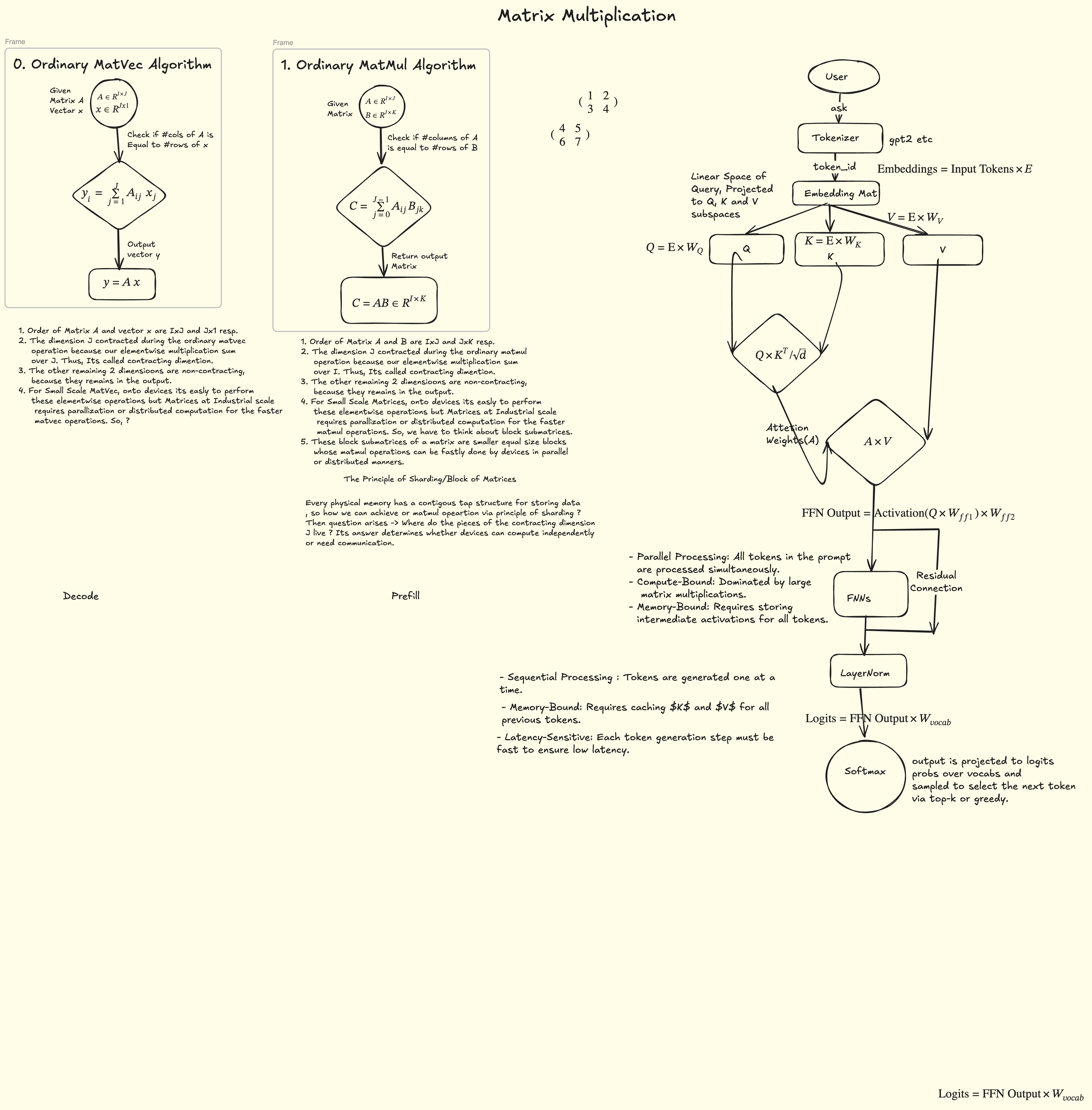
In any transformer-based large-scale model, especially LLMs, two operations are at the core of the entire architecture:
- Matrix–Matrix multiplication
- Matrix–Vector multiplication
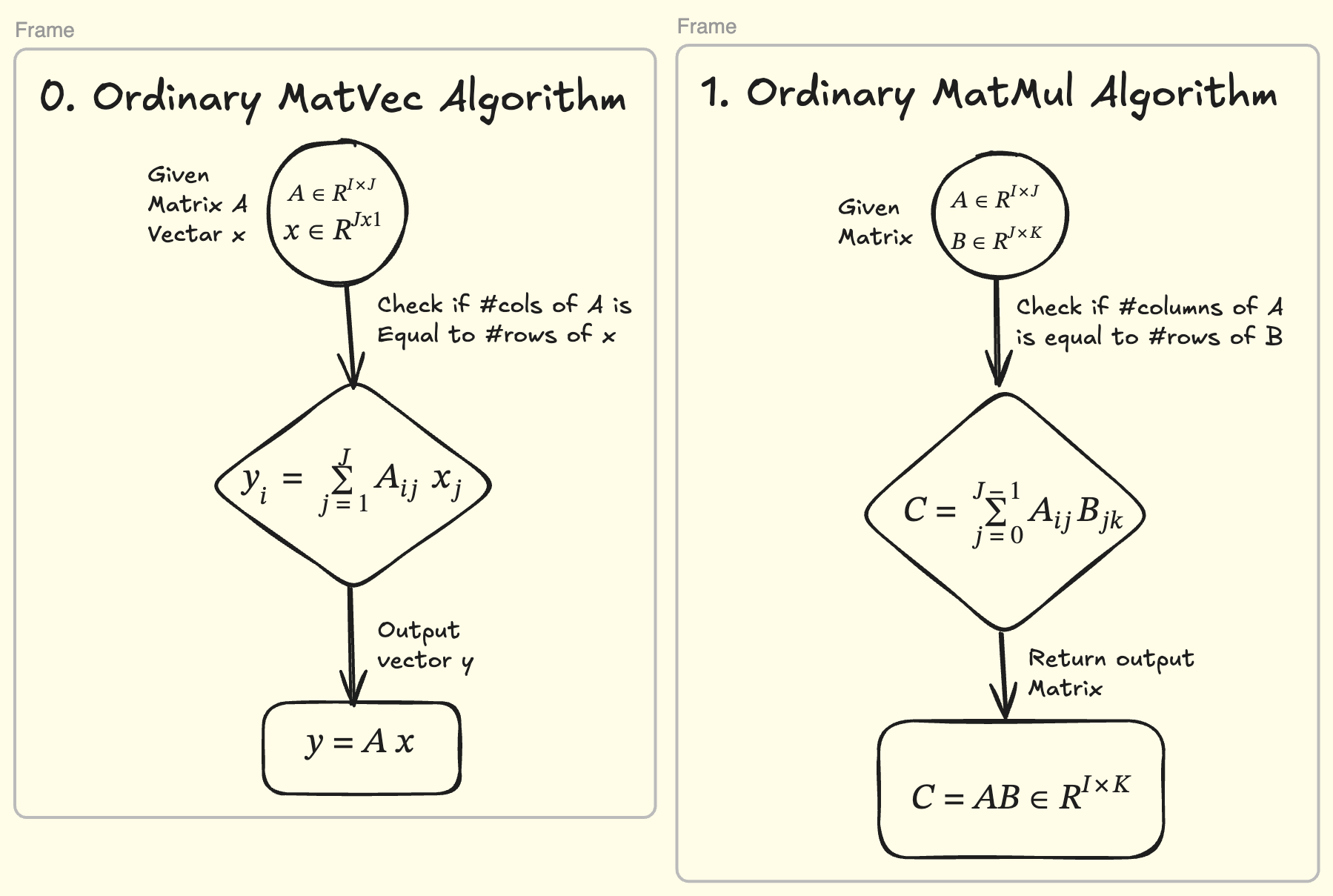
Matrix–matrix multiplication exists almost everywhere — but it is the matrix–vector multiplication that we lean on at inference time to serve a user’s query.
1. The lifecycle of a large-scale model
The entire lifecycle of large-scale models can be divided into two parts:
- LLM Building
- LLM Serving
Most LLMs are based on the transformer architecture, so the building phase subdivides further:
- Pretraining — we train the LLM on large-scale datasets (the entire internet over the history of time). The model becomes generalized enough for many tasks.
- Post-training — we align it with how humans actually do real tasks, via post-training on specific types of datasets and environments.
Then comes the real part: how to save and export the model for inference. Many inference engines are built for specific devices:
- llama.cpp focuses on CPU / edge devices and accepts the GGUF model format.
- vLLM, TensorRT, and others are GPU-specialized and serve inference in distributed setups at large scale, requiring export formats like AWQ.
So the question in front of us is: how do we build an inference engine like llama.cpp or vLLM from scratch? This article is the story of that journey — building an LLM inference engine from first principles using MLX on Apple Silicon.
flowchart LR
    TRAIN["pretraining"] --> ALIGN["post-training"]
    ALIGN --> EXPORT["export (GGUF / AWQ / 4-bit MLX)"]
    EXPORT --> ENG["inference engine (llama.cpp / vLLM / AnLLM)"]
    ENG --> SERVE["serve the user's query"]
2. What AnLLM is
AnLLM is our answer to that question: an inference engine for Apple Silicon that runs LLMs privately on your own Mac, as 4-bit Int4 checkpoints, with an OpenAI-compatible API — so any tool that speaks OpenAI’s protocol just works against your local machine.
You get:
- Local, private inference — models never leave your machine.
- Small footprint — a capable 4B model uses ~2.5 GB of unified memory.
- Drop-in compatibility — curl, the OpenAI Python SDK, and every tool that sends OpenAI requests work unchanged.
- Built from first principles — a clean, readable codebase with no black boxes.
flowchart LR
    U["Your app / curl / OpenAI SDK"] --> A["anllm server (local)"]
    A --> M["model, Int4, on Apple Silicon"]
    M --> P["your private generation"]
    P --> U
    style M fill:#2d6a4f,color:#fff
3. Who is this for?
| Audience | What you get |
|---|---|
| Developers for Making Robust Engine | An OpenAI-compatible local server + a small, understandable inference engine to read and extend |
| Students / learners | A from-first-principles codebase: attention, RoPE, RMSNorm, KV cache, quantization, batching — plus a full tutorial walkthrough |
4. The journey — a curated tutorial list
To help you navigate building an LLM inference engine with MLX, this series covers the path we took, in dependency order:
The distilled architecture is also documented in a five-part series (articles/part-0..4-*.md in the repo) and as a high-level map in arch.md.
5. Project links
| Resource | Where |
|---|---|
| Source code (GitHub) | https://github.com/ajeetkbhardwaj/anllm |
| Documentation site | https://ajeetkbhardwaj.github.io/anllm/ |
6. Quick start — from zero to chatting in five commands
Requires: a Mac with Apple Silicon, Python 3.10–3.12, a conda env (e.g.
conda activate aisystem).
git clone https://github.com/ajeetkbhardwaj/anllm && cd anllm
pip install -r requirements.txt
pip install -e .
pip install huggingface_hub        # to download models from HuggingFace
Step 1 — Download a model
huggingface-cli download mlx-community/Qwen3-4B-4bit # ~2.5 GB, fits 16 GB
Models cache under ~/.cache/huggingface/hub/.
Step 2a — Chat right in the terminal
python -m anllm.cli run --model mlx-community/Qwen3-4B-4bit
Interactive REPL loops with you. For a one-shot response, pass the prompt as the positional argument:
python -m anllm.cli run "Name three primary colors" --model mlx-community/Qwen3-4B-4bit
Step 2b — Or switch any model family
python -m anllm.cli run "Hello" --model mlx-community/Llama-3.2-3B-Instruct-4bit
The engine dispatches on each checkpoint’s config.json model_type, so Qwen3 and Llama 3.x 4-bit checkpoints load with no code changes.
Step 3 — Serve it as an API
python -m anllm.cli serve --model mlx-community/Qwen3-4B-4bit --host 127.0.0.1 --port 8402
That boots an OpenAI-compatible server:
| Endpoint | Purpose |
|---|---|
GET /healthz | liveness probe ({"ok":true}) |
GET /v1/models | list loaded models |
POST /v1/chat/completions | chat (streaming + non-streaming) |
POST /v1/completions | raw text completion (streaming + non-streaming) |
7. Talking to it — three ways
curl (streaming)
curl -N http://127.0.0.1:8402/v1/chat/completions \
  -H 'Content-Type: application/json' \
  -d '{"model":"mlx-community/Qwen3-4B-4bit",
       "messages":[{"role":"user","content":"Say hi in 4 words"}],
       "max_tokens":12, "stream":true}'
You’ll see SSE data: chunks ending in data: [DONE].
OpenAI Python SDK (drop-in)
from openai import OpenAI

client = OpenAI(base_url="http://127.0.0.1:8402/v1", api_key="not-needed")

resp = client.chat.completions.create(
    model="mlx-community/Qwen3-4B-4bit",
    messages=[{"role": "user", "content": "Name three primary colors."}],
    max_tokens=24,
)
print(resp.choices[0].message.content)
Streaming works identically (stream=True, iterate chunks).
Any OpenAI-compatible tool
Because the wire format is OpenAI’s, tools like LangChain, Open WebUI, or custom automation can point their base_url at your local server and work unchanged.
8. Under the hood
flowchart LR
    subgraph Engine["Anllm"]
        CACHE["KV cache<br/>dense → paged"] --> CORE["core<br/>one forward pass"]
        CORE --> ENGINE["engine<br/>batching + sampling"]
        ENGINE --> SRV["server<br/>OpenAI-compatible HTTP"]
    end
| Subsystem | One-liner |
|---|---|
| cache | Stores each token’s K/V so nothing is recomputed; a paged pool keeps memory tight |
| core | ForCausalLM — one shared Int4 forward pass for Qwen3/Llama/Mistral |
| engine | Continuous batching: many concurrent chats share one batched decode |
| server | FastAPI app with SSE streaming, safe single-threaded MLX execution |
Everything is implemented from first principles on MLX (Apple’s ML framework), with (Optinal/Avoided for Now)hand-written Metal kernels as an optional accelerator — and a pure-Python path that always works even without the kernels.
9. Supported models
| Family | Sizes | Example HuggingFace ID |
|---|---|---|
| Qwen3 (dense) | 0.6B–8B | mlx-community/Qwen3-4B-4bit |
| Llama 3.2 / 3.1 (dense) | 1B–8B | mlx-community/Llama-3.2-3B-Instruct-4bit |
| Mistral | similar dense builds | viamodel_type dispatch |
Larger dense models (14B+) and MoE/multimodal builds (Llama 4, Gemma 4-E2B) are intentionally out of scope for a 16 GB-first engine.
10. Where to go next
- Follow the tutorials — §4, in order, to build it yourself.
- Read the architecture series —
articles/part-0-first-principles.mdthroughpart-4-server.mdexplains why each piece exists, with math and diagrams. - Run it — the five commands in §6 are all you need.
- Build — try a different model family or a longer context; the design deliberately makes new architectures a config-time change, not a code change.
Comments